Jump To Steal Soccer Players How to Redeem Codes
Step-by-step redemption for Jump To Steal Soccer Players on Roblox.
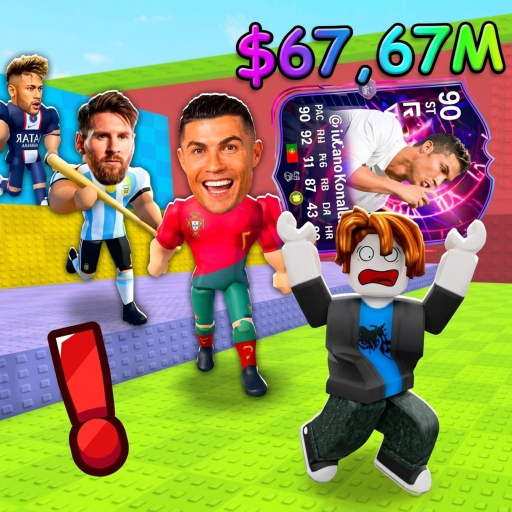
Redeeming codes in Jump To Steal Soccer Players is currently a watch-and-wait skill. The Roblox experience (Jump To Steal Soccer Legends) is fully released, but a dedicated Codes button has often been missing. This guide teaches the exact redeem habit you should use the moment a menu appears, plus how to avoid the fake “generators” that steal accounts while you farm Lucky Blocks.
Before you look for a Codes button
Confirm you are in the correct live place:
- Open Roblox and join the Jump To Steal Soccer Legends experience linked from this wiki’s game URL.
- Wait for your character to load into a normal server (about five players is typical).
- Check the on-screen HUD for Twitter/X birds, gift icons, shop gears, or a “Codes” / “Redeem” label. Menus move after updates—see the Updates Hub.
- If nothing looks like redemption, stop. Do not paste codes into chat hoping they auto-claim. Return to the Codes Hub for status.
While you wait, progress still matters: read Getting Started, practice Controls, and spend cash using Upgrade Priority.
Likely redemption flow (when codes ship)
Most Roblox jump/steal titles use a pattern like this. Adapt once the UI is visible:
- Tap the Codes, Gift, or Twitter-bird icon on your HUD.
- Open the text field labeled Redeem, Code, or Enter Code.
- Type the code exactly—case and punctuation matter.
- Press Redeem / Submit and wait for a success toast.
- Check inventory, cash counter, or Lucky Block storage for the reward.
- Leave and rejoin only if the UI freezes; do not spam the button.
If the game later adds a shop NPC or base terminal for codes, this page will note the new location. Until then, treat any third-party site that asks you to “log in to redeem” as a scam.
Troubleshooting failed codes
| Symptom | Likely cause | What to try |
|---|---|---|
| No Codes button | Feature not live | Recheck Codes Hub; farm packs instead |
| Invalid code | Typo, expired, or fake list | Copy carefully; ignore unverified sites |
| Already redeemed | One-time per account | Move on; codes rarely stack |
| Success but no reward | Delayed grant or wrong currency UI | Rejoin server; check cash and packs |
| Kick / error after paste | Soft UI bug | Soft rejoin; avoid executors while redeeming |
Never combine code redemption with unauthorized scripts in the same session if you care about account safety. If you still research automation, read the risk notes on the Scripts Hub first.
What to do with rewards
Cash from codes should follow the same spend order as earned cash:
- Early: jump power so you reach contested packs—Jump Power.
- Mid: base upgrades that protect deliveries—How to Play.
- High value: chase God / OG outcomes covered in God and OG Tier.
- Reset timing: only rebirth when multipliers beat your current income—Rebirth Guide.
Free packs from codes (if they ever appear) still need a clean return to base. Review Steal Lucky Blocks so you do not donate a code reward to another stealer on the pad.
Cross-links inside Codes
- Codes Hub — live status table and honesty policy
- Related progression: Early Game Players, World Cup Update, Community Links
Honest expectations
Invented August “active code” blogs do not override the Roblox client. If the menu is gone, codes are gone. Bookmark this How to Redeem page, keep jumping for soccer packs, and use offline earnings from placed players so your account grows even when you are away. When developers finally ship redemption, you will already know the checklist.
Frequently Asked Questions
Quick answers for Jump To Steal Soccer Players on Roblox.
Where is the Codes button in Jump To Steal Soccer Players?
Often there is no Codes menu yet. Check the HUD after each update; if nothing appears, redemption is not available.
Can I redeem codes in Roblox chat?
No. Wait for an official Codes or Redeem UI. Chat pastes are not a safe or reliable redeem method.
Why did my code say invalid?
Common causes are typos, expired strings, already-redeemed codes, or lists invented by third-party sites.
Should I use a code generator website?
Never. Generators that ask for your password are scams. Only redeem inside Roblox when a real menu exists.
What if I redeem during a World Cup event?
Event rewards and promo codes can overlap. Check the World Cup Update notes, then spend any cash with Upgrade Priority.